 Markdown Editor by Teklonato
Convert Markdown to PDF
Use PDF when you need a copy to print or share with a fixed layout. Teklonato creates the PDF in your browser from your Markdown and downloads it as a separate file.
Open the Markdown editorExport a .md file as PDF
- Open your
.mdfile in the editor. To use Markdown from another app, choose Start blank, switch to Source, and paste it. - Review headings, lists, tables, and code blocks in Write or Split.
- Choose Download → PDF (.pdf), then open the download to check the page breaks.
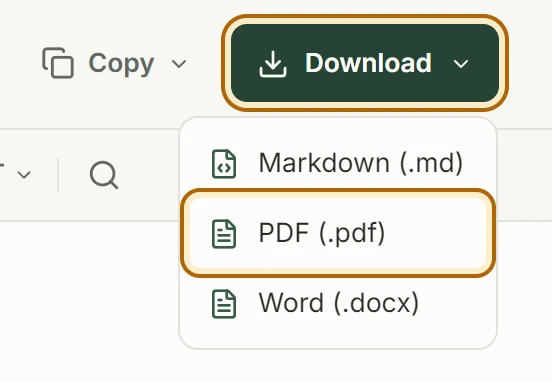
If your browser doesn’t start the download, use Save PDF file when the export is ready.

What to check before sharing
PDF export uses A4 pages. Wide tables and long code lines can wrap differently from the browser view. If a table is hard to read, shorten its headings or split it into two tables before exporting.
Images embedded in the Markdown can appear in the PDF. Remote images may show as linked labels. To include an image itself, insert a local image using the Write editor.
Try a PDF export
Use the editor’s built-in sample to see how headings, checklists, and tables appear in the PDF.