 Markdown Editor by Teklonato
Convert Markdown to Word
Choose Word when someone needs to keep editing your document after you send it. Teklonato exports Markdown to an editable .docx with Word headings, lists, and tables.
Export Markdown as an editable .docx
- Open a
.mdfile or paste Markdown into Source in a blank document. - Use heading levels to organize sections and Markdown tables for rows and columns.
- Choose Download → Word (.docx). Open the file in Word or another editor that supports
.docx.
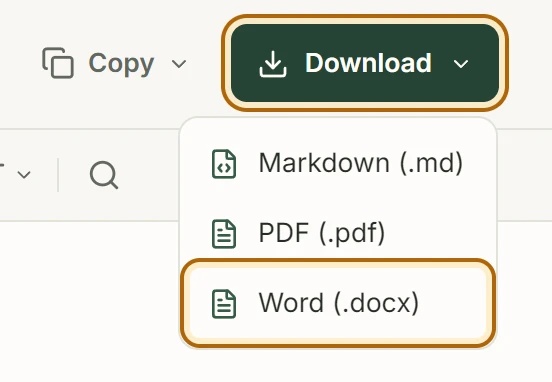
If the download doesn’t start, click Save Word file in the notice below the toolbar.
Format the handoff
Headings become Word heading styles, which you can restyle across the document. Code blocks use monospace text. Embedded images can appear in the export, and remotely linked images may appear as linked labels.
Keep the .md file as your editable source if you also work in Markdown. Changes made in Word belong to the exported copy.
Check the Word outline
Export the editor’s built-in sample and open it in Word. Use the Navigation Pane to check the heading hierarchy, or edit a cell to see how the table behaves.